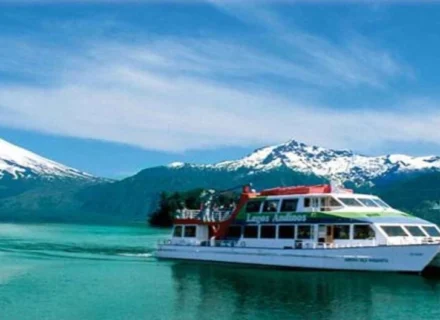
Nestled amidst the pristine beauty of the Chilean Lake District lies the tranquil village of Peulla, a hidden gem accessible…
Travel Guide
Chile can be discovered not only through the visual appreciation of its landscapes, but also while defying our bodies and capacities through activities in water, land and even in the sky.
Due to the geographical length and the diversity of landscapes and climates, Chile has cultivated its fame as a great country to practice adventure tourism, not only in South America, but also worldwide. Whether it is on its high mountains, through wild rivers and lakes or flying over amazing landscapes, there is always a way to get one on one with nature.
One of the most popular activities across the country is the practice of trekking, allowing the access to those interested in discovering the beauty of the national landscapes through different paths and routes. The more than 100 national parks, reserves and monuments are among the most popular destinations for this activity; allowing us to know the wonders of the Andean plateau, the wild forests of the south or the unique ecosystem of the Juan Fernández Archipelago. But without a doubt, the one destination that stands out among others is the Torres del Paine National Park, which is considered a must-see destination thanks to its different pathways.
For those who can resist low temperatures, the best activities can be skiing, snowboarding or even walking through big capes of ice. In Central Chile, the Andes is the perfect place for snow sports, highlighting sky centers such as Portillo, La Parva, Farellones, Valle Nevado, and Termas de Chillán. Meanwhile, in the extreme south of Chile, the Exploradores Glacier has become a popular place for those who want to walk over millennial ice or get lost in its caves.
The south of Chile has also learned how to make the most of its geography to lure tourists and sport fans. Its lakes, rivers and waterfalls have become the perfect scenario for activities such as kayaking and canyoning. But without a doubt the most popular activity is rafting, which is practiced in many different rivers of the area. Among those who stand out is the Futaleufú river, known as one of the best rivers in the world to practice this sport, and for having different levels depending on the experience, whether it is your first time doing it or if you are an expert.
Other water sports that have their own place within the national territory is surfing and diving. In the first case, Pichilemu is known as the perfect place to defy big waves. The city has hosted different tournaments, where professionals from all across the world come to this city with the purpose of taming the Pacific Ocean. Meanwhile, the Juan Fernandez Archipelago and Easter Island are considered among the best destinations to explore the bottom of the sea. As well as for their crystal clear water with a visibility of over 50 meters deep, and also for their unique species and ecosystems.
For those who are seeking for a sport in which they don’t have to get wet or defy extreme temperatures, and as long as they don’t suffer from vertigo, paragliding or zip-line across the country can be the perfect activity. Sports that allow to enjoy the beautiful landscapes of Chile from a different angle.
Nestled amidst the pristine beauty of the Chilean Lake District lies the tranquil village of Peulla, a hidden gem accessible…
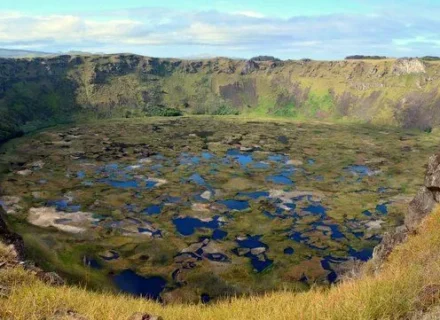
Easter Island, a remote speck of land in the vast expanse of the Pacific Ocean, is home to one of…
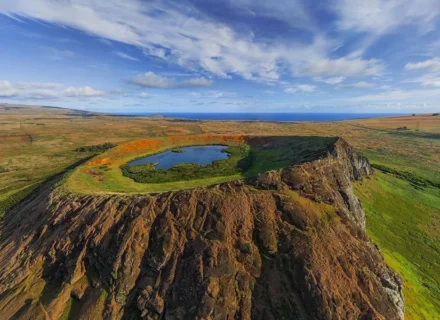
Easter Island, renowned for its enigmatic Moai statues and rich Polynesian heritage, harbors a secret at the heart of its…
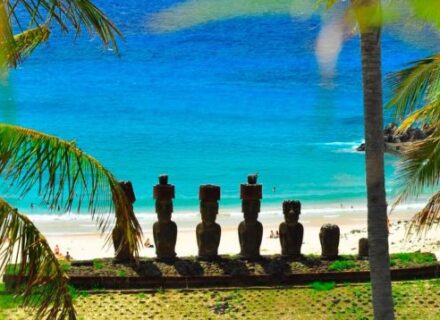
Nestled along the rugged coastline of Easter Island lies a pristine stretch of sandy beach known as Playa Anaken. Far…
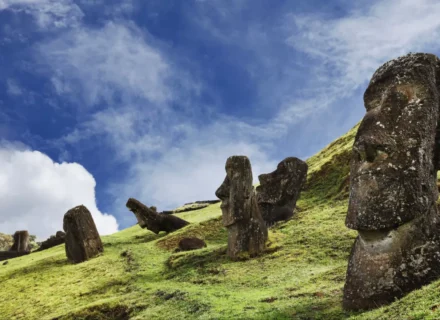
Easter Island, also known as Rapa Nui, is a remote volcanic island in the Pacific Ocean, famous for its enigmatic…
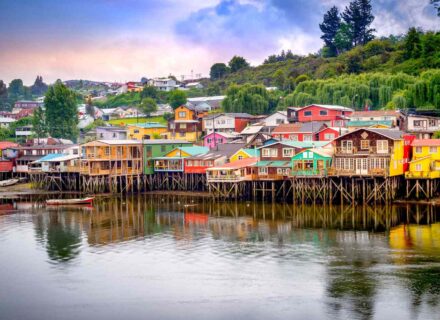
Nestled off the coast of Chile lies a hidden gem of unparalleled beauty and cultural richness – Chiloé Island. Steeped…
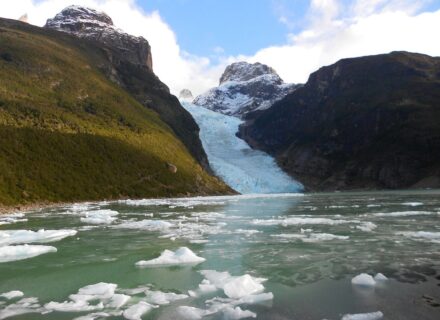
Nestled within the breathtaking landscapes of Chilean Patagonia lies a mesmerizing natural wonder – the Serrano Glacier. Carved by the…
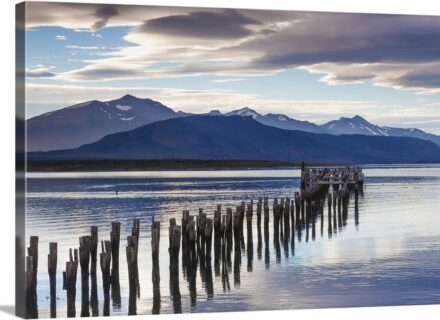
Nestled within the rugged landscapes of Chilean Patagonia lies a natural wonder of unparalleled beauty – Seno Ultima Esperanza, or…
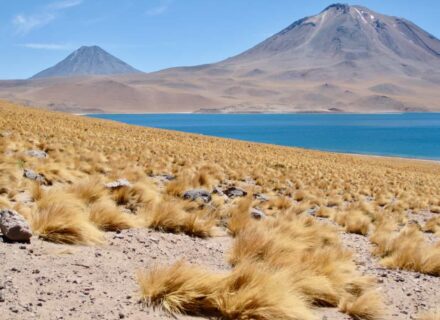
Nestled amidst the starkly beautiful landscapes of Chile’s Atacama Desert lies a hidden gem of mesmerizing beauty – Laguna Miscanti.…
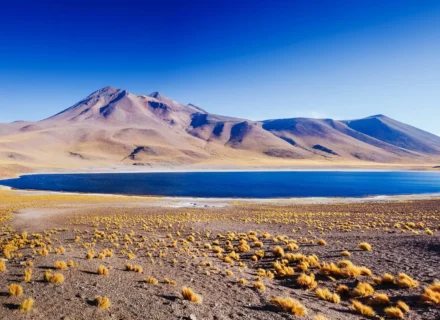
Nestled in the northern reaches of Chile lies one of the most captivating and surreal landscapes on Earth – the…
A slender sliver of land clinging on to the Pacific Coast of the South American continent, Chile is separated by Argentina by the long spine of the Andes mountain range which runs almost its entire length, and by Peru in the north by the Atacama Desert. The country's length gives it an extraordinary range of landscapes, from dry arid wasteland in the north to vast glaciers and snowy peaks in the south, along with jewel-coloured lakes, volcanoes, vast altiplano, salt flats, beaches, forests and rivers. Given its diversity, large tracts of wilderness and 31 national parks, it is little wonder Chile is considered a destination for the adventure-minded. Activities such as rafting, mountaineering, skiing and hiking top the list of possible pursuits. In addition, Chile is one of the most politically stable and developed country in Latin America making it a relaxing country to travel.
Chile's currency is the peso (symbol: CH$). Bank notes come in 500, 1000, 2000, 5000, 10,000 and 20,000 peso denominations and coins come in 1, 5, 10, 50, 100 and 500 peso denominations. It is a good idea to carry some small bills with you as anything over CH$1000 can be difficult to change.
ATMs are the best way to access funds and are available in major cities and towns. Most ATMs have instructions in English as well as Spanish and there may be a charge in addition to charges made by your home bank. As a backup, always carry a mixture of cards and cash as ATMs may not always be reliable.
Chile is not a developing nation and so is not cheap by South America standards. That said, it is still good value for money compared with North America or Western Europe. Prices increase significantly over summer, so travel outside of the main tourist season December- March will likely be more economical. A bottle of water will set you back around CH$500 (US$0.95), a can of beer around CH$350 (US$0.65) and a set lunch CH$3500 (US$6.50).
Most of Chile's 16 million people live in a handful of larger cities, the largest being Santiago with one third of the population. Santiago is conveniently located in the centre of the country from where you can explore either the north or the south. Nearby is the off-beat port city of Valparaíso and ritzy resort Viña del Mar. Heading north, La Serena is a picturesque colonial city and Copiapó is the gateway to Bahía Inglesa one of the country's best seaside resorts. In the far north sits desert city Antofagasta, then Iquique and Arica near the border of Peru. South of Santiago, Concepción and Chillán are two major cities in the Central Valley then in the Lakes District, Pucón and Puerto Varas are both jumping off points for various adventure activities. In Southern Patagonia Punta Arenas is the local hub, while Puerto Natales provides a launchpad for those wishing to explore the famous Torres del Paine National Park.
Electricity in Chile runs on 220 volts/50 Hz and the most common socket type used throughout the country is two-round prongs such as those used in Europe.
On the surface, Chile has many similarities to Europe, especially when compared to the rest of South America. Most of Chile's population are mestizo, a mixture of Spanish and indigenous ancestry but there are also influences from immigrants from France, Germany, Italy, Ireland, Britain, Croatia and Palestine. The biggest indigenous groups are the Mapuche in the south with around 620,000 people and the Aymara in the north Andes with around one tenth that number. Around 90% of Chile's population is Roman Catholic.
It is customary to greet and farewell people with kisses on both cheeks. This is generally done between men/women and women/women with men generally shaking hands instead.
Chile has a land area equivalent to Britain and France combined, but its extraordinary length means that it stretches through several latitudinal zones. Chile's geography is also characterised by the Andes mountains which run along its border with Argentina, as well as its central depression and coastal range. At the top of the country, the Norte Grande region includes the Atacama Desert, thought to be the driest place on earth, and the altiplano, a high plateau in the Andes bordering the desert with volcanoes, vibrantly coloured lakes and salt flats. Below this region, Norte Chico is semi-arid, located just north of Santiago. Here desert melts into scrubland and eventually forests further south. To the south of Santiago, the Central Valley region has mineral-rich earth and experiences warm summers and short winters making it ideal for fruit crops such as grapes, peaches and mangoes. It is also where about 80% of the population reside. Next is the Lakes District with its snow-capped volcanoes, bright blue lakes and luxuriant forest. Beyond the Lakes District the country disintegrates into a patchwork of fjords and islands with massive ice fields and glaciers. Tierra del Fuego, Chile's southernmost region, is an archipelago separated from the rest of Chile by the Magellan Strait.
Pre-Columbian remains have mostly been recovered in the north where they have been preserved by the dry, arid climate. The best known of these cultures are the Chinchorro who were nomadic and known for mummifying their dead. The Aymara practised agriculture including maize and potatoes in the canyons in the north. Other cultures include the Atacameño, El Molle, Tiwanaku and the Chango and there are various geoglyphs, rock etchings, tablets and ceramics that remain from these peoples. The Incas from the Cuzco valley in Peru conquered northern Chile for a time, but did not make it into the central and southern region.
The Americas were divided between Spain and Portugal in 1495 by the Treaty of Tordesillas which gave all territory west of Brazil to the Spanish. By the mid-16th century European power dominated the the area down as far as central Chile. A Spanish expedition led by Pedro de Valdivia reached the Mapocho Valley in 1541, subduing the local people and establishing the city of Santiago on February 12. Throughout the colonial period, indigenous people were exploited through the encomienda system, a administrative tool used throughout South America where Spaniards had the right to extract tribute and labour from the local population. The southern nomadic tribes continued to resist colonial rule and the south remained unsafe for settlers until the late 19th century. During this time many Spaniards were rewarded with large tracts of land. This small minority of wealthy landowners would have a lasting effect on Chile's society and politics in later years.
American-born Spanish increasingly yearned for self-government and independence movements began to take shape by 1808-1810. Chile was classed as a subdivision of the Vice-royalty based in Lima, but its isolation meant it developed its own distinct culture to its northern neighbour. José de San Martín liberated Argentina, then crossing the Andes to do the same for Chile, occupying Santiago and appointing his second-in-command Bernardo O'Higgins as director of the new republic of Chile, before sailing on to Lima. Chile's independence was formally declared in 1818.
Unlike some of its neighbouring fledgling nations, Chile managed to gain relative political stability and advancements in industry, agriculture and commerce. Winning the War of the Pacific (1879-84) was a significant boost for the country, fought between Chile, Peru and Bolivia over natural resources in the Atacama Desert. Chile seized the Bolivian port of Antofagasta and the Peruvian provinces of Arica and Tacna. This left Bolivia with no access to the Pacific Ocean and Chile with access to rich nitrate deposits providing a economic boom for the country. Treaties with the Mapuche in 1881 also brought southern territories under Chilean control and Chile annexed Easter Island (also called Rapa Nui) to increase their presence in the Pacific.
The status quo of landowning oligarchs controlling the nation's politics was challenged by a growing working class and nouveaux riches. President José Manuel Balmaceda, elected in 1886, attempted to correct the imbalance, improving schools and hospitals, but when the conservative congress voted him out, civil war ensued and more than 10,000 Chileans died before they were eventually defeated. In the early 20th century demand for nitrate fell and the Panama Canal was opened nearly eliminating traffic to Chile's coastal ports and Chile's economy suffered. Copper became Chile's most important export and remains so to this day.
Attempting to correct the imbalance of power in the hands of landowners continued. At the time they had exclusive voting rights which they used to maintain their dominance. Democratic Leftist governments dominated for much of the 1930s and 40s. Ibáñez del Campo was elected president in 1952 and worked to reduce landowners' control of their tenant farmers votes. Tension between right and left factions, including communist, socialist and radical groups, some of them violent, characterised politics of the 60s and 70s meanwhile reclaiming copper mines from the US, provoked US hostility.
On September 11, 1973 General Augusto Pinochet Ugarte overthrew the government in a bloody coup d'etat, claiming the presidency in 1974. He remained in power until 1989, virtually prohibiting political activity, killing and torturing his opponents. Around 35,000 are believed to have been tortured and 3000 disappeared during his presidency. He held a vote to extend his power in 1988 but was rejected by voters and civilian rule returned to Chile.
Located in the southern hemisphere, Chile experiences summer from December to March and winter from June to August, but given the length of the country there is significant diversity within the seasons. To visit Patagonia and the southern reaches of the country summer is the best and, in some areas, the only time when it is appropriate to visit. Parts of the country are virtually impenetrable during winter. On the other hand, the winter months are a time when you can indulge in some of the country's excellent skiing and snowboarding opportunities.
Summer can be scorching in the Atacama Desert with bitterly cold nights, although it is possible to explore this area at any time of year. Central Chile including Santiago can get nippy in winter with an average minimum temperature of 3°C/37°F while summer boasts highs of 29°C/84°F. With summer also comes the crowds and the country is also pleasant and probably less busy in the spring and autumn months September-November and March-May.
Weather-wise, the summer months are definitely the best time to visit the southern reaches of the country. Other than that, Chile is more or less a year round destination. There are several major festivals throughout the year. Virgen de la Tirana is the most important folklore festival in Chile, held on July 16 every year in La Tirana in the far north of the country. Over 100,000 people gather there for the week-long celebrations. Through the summer months in January and February, most of Chile's towns put on live music, fireworks and feasts. In mid-September Chile's independence day – Fiestas Patrias – is celebrated nationwide with street parties and dancing.
On Easter Island, Tapati Rapa Nui Festival is the island liveliest event with traditional dancing, surf competitions, locals shooting down the slopes of extinct volcanoes on home-made sleds and woodcarving to name but a few of the activities. The celebration lasts 10 day and is held in late January or early February.
As a predominantly Roman Catholic country, Catholic holidays are major features on the calendar. Semana Santa (Easter) is marked by nationwide celebrations including processions and parades.
Chile is a nation blessed with an abundance of raw produce with everything from freshly grown fruit and vegetables, to every type of seafood. The coastal region is known for for having some of the best seafood in the world and it is possible to eat almost every type of sea animal including urchins, octopus, barnacles, clams, oysters, etc, along with more typical fare. Chupe is a seafood casserole cooked in a cheesy, buttery, breadcrumb sauce and Paila marina a delicious seafood chowder.
Traditional food in Chile often centres around corn and potato ingredients and can be found in small old-fashioned restaurants. Humitas are tamales made from ground corn, wrapped in corn husks and steamed. Pastel de choclo is pie containing chicken or beef mince topped with pureed sweet corn and baked. Traditional ways of eating potatoes include mallo de papas (potato stew), milcao (cakes of grated or mashed potato that can be steamed, deep fried or baked, papas rellenas (meat or shellfish encased in mashed potatoes and flour) and pan de papas (Baked, flat potato cakes). Empanadas are another favourite snack, which are a sort of miniature cornish pasty, with the most popular filling being minced beef, onions hard-boiled egg and olives.
Less traditional restaurants serve more standard fare, from burgers and french fries to steak. Meat is very popular in Chile and, as in Argentina, the family-based asado (barbeque) is a popular and time-honoured affair. There are many varieties of steak dishes served in different ways, such as with eggs and fries (lomo de lo pobre), potatoes, eggs and grilled onions (chorrillana) and the meat-eaters heaven parrillada, a mixed grill of different cuts of beef.
If you have the chance, partaking in curanto in Chiloé is a quintessential culinary experience of the region. Cooked in a big pit in the ground lined with hot stones, a selection of shellfish, smoked meat, vegetables and potato-based patties are cooked between layers of pangue plant leaves.
With its granite spires, turquoise lakes and glaciers, this national park is about as scenic as it gets. From the famous Torres del Paine (Paine towers), Cuernos del Paine (Paine horns) and epic Grey Glacier this is a playground for landscape photographers and hikers alike.
While lacking the destination city status of some of the other South American capitals like Buenos Aires and Riode Janeiro, Santiago is the ideal place to get a handle on Chilean culture and history with museums and chic barrios to explore. In addition it is an ideal spot from which to explore the Maipo Valley wineries and surrounding hills and canyons where you can hike, raft or cycle.
Surrounded by huge volcanoes, set in a brown and ochre landscape, the brilliant turquoise waters of Laguna Verde glow like gemstones. Alongside the lake, thermal hot pools offer the chance to relax and take a soak in the healing waters.
Precariously perched multi-coloured houses sit on the steep hills of this quirky port city. As the cultural capital of the country, its dishevelled charm has captured the imagination of poets, painters and philosophers. It's just 120 kilometres from Santiago with the glitzy resort town of Viña del Mar just up the road.
Nestled on Lake Villarrica is Pucón, an adventure centre with all manner of activities on offer. Villarrica is the name of the lake, the nearby famous volcano, the national park and also a lakeside town, which is one of the oldest towns in the country. Climbing the smoking, snowy peak of Villarrica volcano is one of Chile's most famous hikes.
Both possible day excursions from Punta Arenas in southern Patagonia, these two locations are both home for the Magellanic penguin. Isla Magdalena is the larger of the two colonies with over 120,000 penguins digging their burrows on this small island. Seno Otway is the nesting site for around 5,000 penguins.
In northern Chile near to San Pedro de Atacama, this surreal and barren landscape has been aptly named for its likeness to lunar terrain. Dramatic wind-carved hills and sculptured landforms on a backdrop of sanddunes and distant ring of volcanoes.
Steeped in mystery, Chile's far flung Pacific island is most famous for the imposing Maoi stone statues. There are over 400 of these Neolithic carved heads scattered around the island and islanders say they depict important ancestors such as chieftains and priests. In addition to archaeology, Easter Island or Rapa Nui as it is otherwise known, is an excellent dive location and offers surfing opportunities.
Considered Chile's best beach town, Bahía Inglesa is found in the north of the country and offers the chance to do very little for a while and catch some rays on its powdery white-sand beaches. Seaside shops and restaurants line the beachfront walkway giving it a relaxed Mediterranean resort feel.
Chile is a notable new world wine producer and visiting some of its wineries is an excellent excuse for an excursion into the countryside. Many of wineries can be visited as a day trip from Santiago, including the famous Maipo Valley region. To the south, the Colchagua Valley near Santa Cruz is considered the capital of Chilean wine.
1. Chile stretches an amazing 3400 kilometres from the driest desert on earth to glaciers an fjords at the very foot of the continent. In contrast, the country averages just 175 kilometres wide.
2. Chile is one of the most developed nations in Latin America. It also has a long history of political stability (with the exception of a military dictatorship in the 1970s and 80s) and is probably the most politically stable country in South America.
3. The pre-Columbian culture called the Chinchorros, whose remains have been found in the north of Chile, began mummifying their dead around 2000 years before the Egyptians. The oldest discovered mummy is believed to date from around 5050 BC.
4. Chile was the only democratic nation in the world without divorce law until 2004, due in large part to the influence of the Catholic church.
5. On February 27, 2010, Chile experienced the seventh strongest earthquake in recorded history. It was so strong that it shifted the Earth's axis by 3 inches. The earthquake lasted 90 seconds and many of Chile's major cities, including Santiago, were affected.
6. Pisco is Chile's national drink and used to make the famed Pisco Sour, a cocktail of Pisco, lemon juice and sugar, sometimes with an egg white added. Peru also claims Pisco as their own, claiming Chilean Pisco is a lesser imitation of their own and there is continued rivalry between the two countries as to who has claim to the beverage.
7. Chile's coastal port of Valparaíso has 15 funiculars (lifts) which are an essential means of transportation for the town which has 42 hills. The funiculars were imported from England and Germany in the early 20th century.
8. Chile's economy is heavily dependent on copper mining, which makes up 55% of its exports. As a nation Chile provides 35% of the world's copper.
9. Today, 99% of Europe's potato varieties can be traced back to Chilean origin. Chile claims to be the first country to have grown potatoes (a claim also made by Peru) and in addition to the common varieties found in supermarkets there are many different indigenous types including blue, yellow and purple potatoes.
10. Chile has the highest nominal GDP per capita in Latin America.
While it is true that Chile offers a wide variety of places to shop, it is not entirely known for its low prices. However, this does not mean that there are no offers or ways to buy at a good price. However, people who lack this information are more vulnerable to making a less satisfactory purchase. Therefore, it is vital to know tips on where to buy in Chile. For example : Smart tv , Falabella and Ripley